Free
$0forever
Everything to log up to 3 schedules.
- Scheduling + reminders
- Site rotation map
- Daily check-ins & Apple Health import
- Home-screen widget
iOS & AndroidEntry log
Optimized is the log for people who track on a schedule. What is next, which site is due, and your labs logged beside it, on your phone instead of four apps.
TrackLabsRotateReview
Next entry in‒:‒‒:‒‒
Logged today3/4
Today · Weekly entry · Thu 21:30 (sample)
What Optimized is
Optimized: Peptide Tracker is a native iOS and Android app for people who log on a schedule: reminders, site rotation, vial inventory and lab trends. Free tier included, with up to 3 schedules. Pro is $3.99 per month or $24.99 per year, each with a 7-day free trial for new subscribers, or $69.99 once for Lifetime. Website: optimizedtracker.com.
You already know what you take and why. Optimized never suggests a compound, how much to take or a schedule. It keeps what you enter and shows where things stand.
01Today
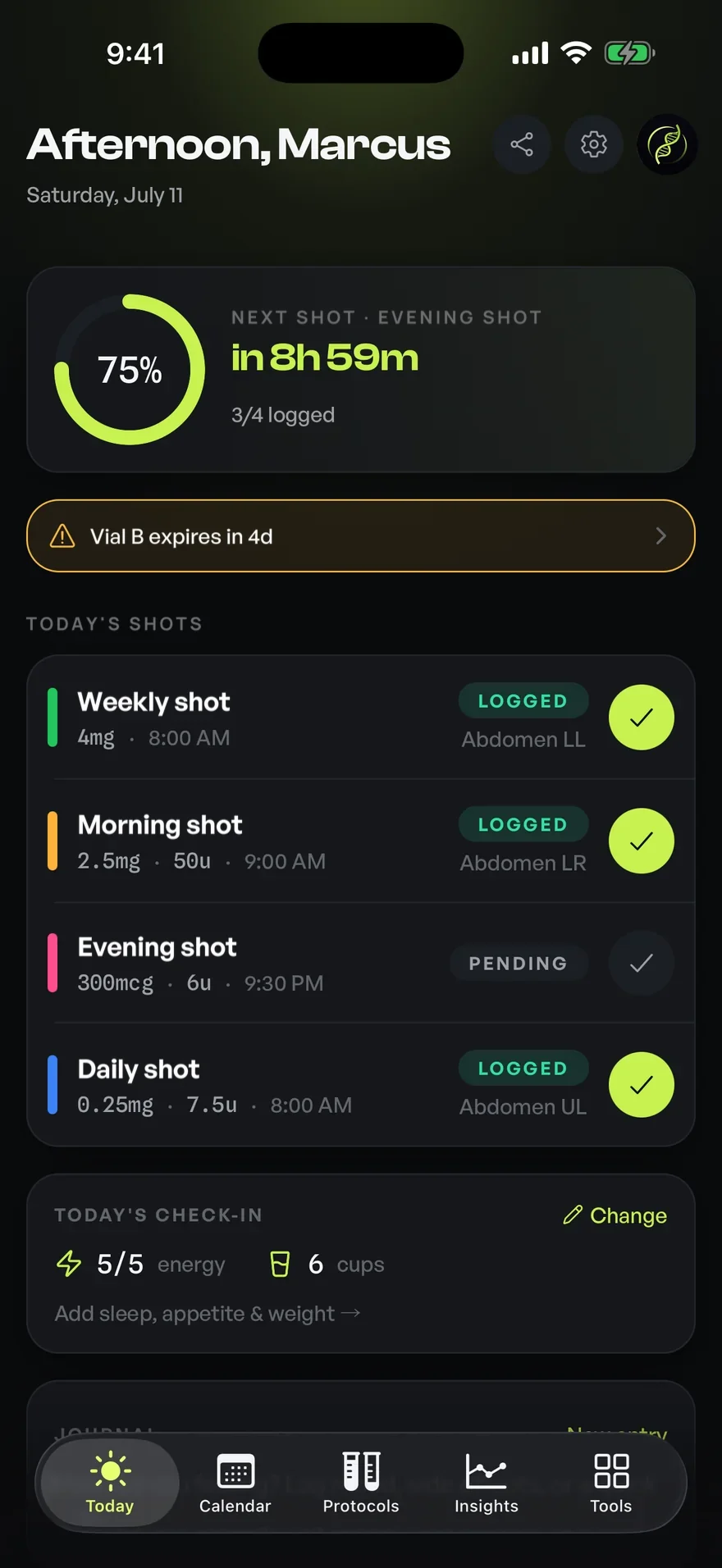
Open the app and the day is already answered: what is due, what is late, what is running out, and what you have already done. Scroll to take it apart.
A greeting, the date, and the three controls you actually reach for. That is the whole header. Nothing celebrates you for opening an app.
The ring is today's progress. Beside it, the next entry by name, counting down to the minute, and how many of today's entries are already in.
A vial four days from expiry surfaces here, while it is still a decision instead of a wasted vial. One tap opens the inventory entry.
Every planned entry in order: its label, the time, the site it went to, and whether it is logged, pending or missed. Colour is a bookmark, not a grade.
Energy, water, sleep, appetite, weight. A check-in short enough to actually finish, because the ones you skip are worth nothing.
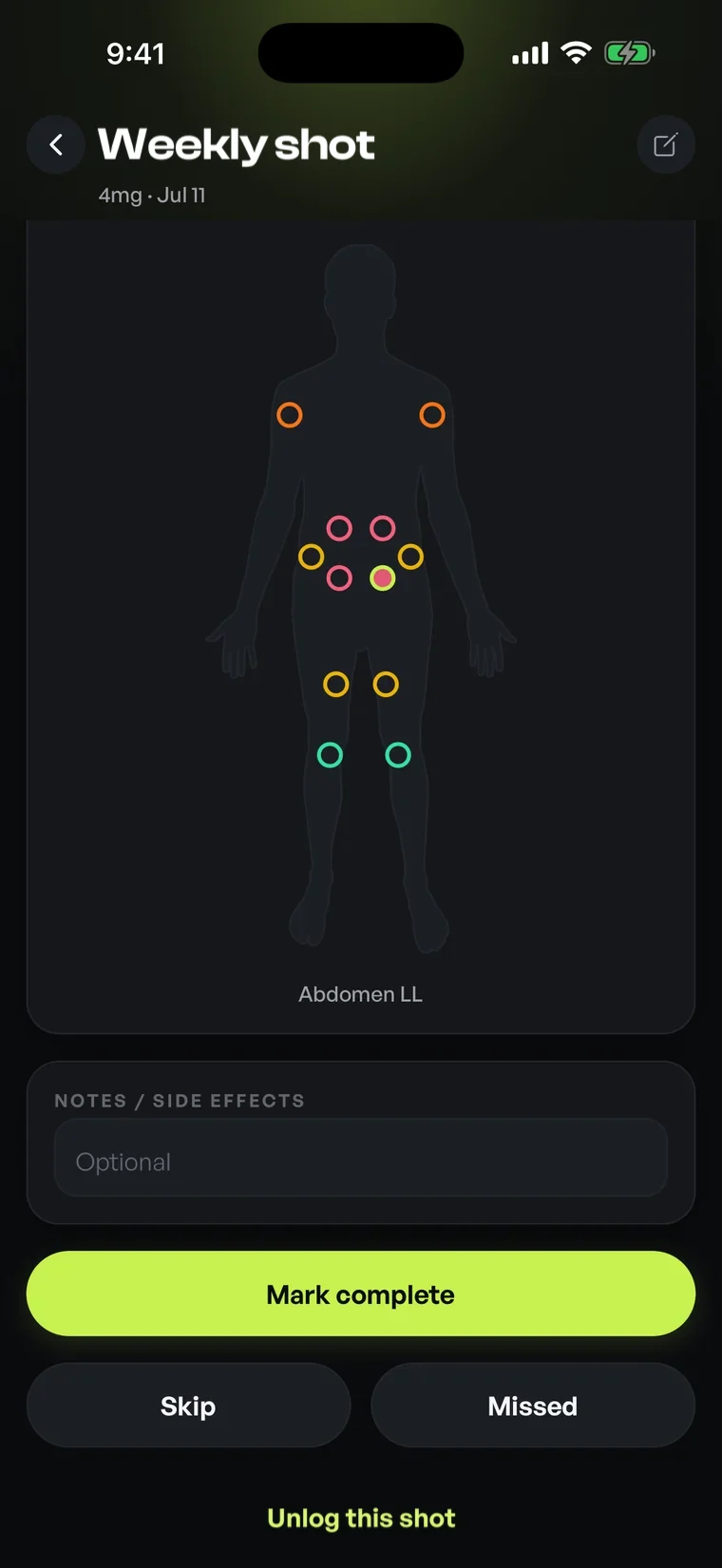
Tap an entry, tap the site on the body map, add a note if there is one. Complete, skip or missed: the record stays honest either way, and you can always unlog it.
02Estimated levelsTool one
Half-life decides the shape. Set one, set a schedule, and the model draws an estimate of how much is still active: the climb, the plateau it settles on, and how long it takes to clear once you stop. Inside the app the same model runs on your own logged entries, one curve each. It is an estimate, not a blood test.
A single-compartment first-order model, relative on purpose: 1.00 is one entry's worth on board. It is the shape of an estimate, not a blood test, and nothing here is a suggested schedule. The app uses the half-life you enter or the one on the library entry, and never invents one.
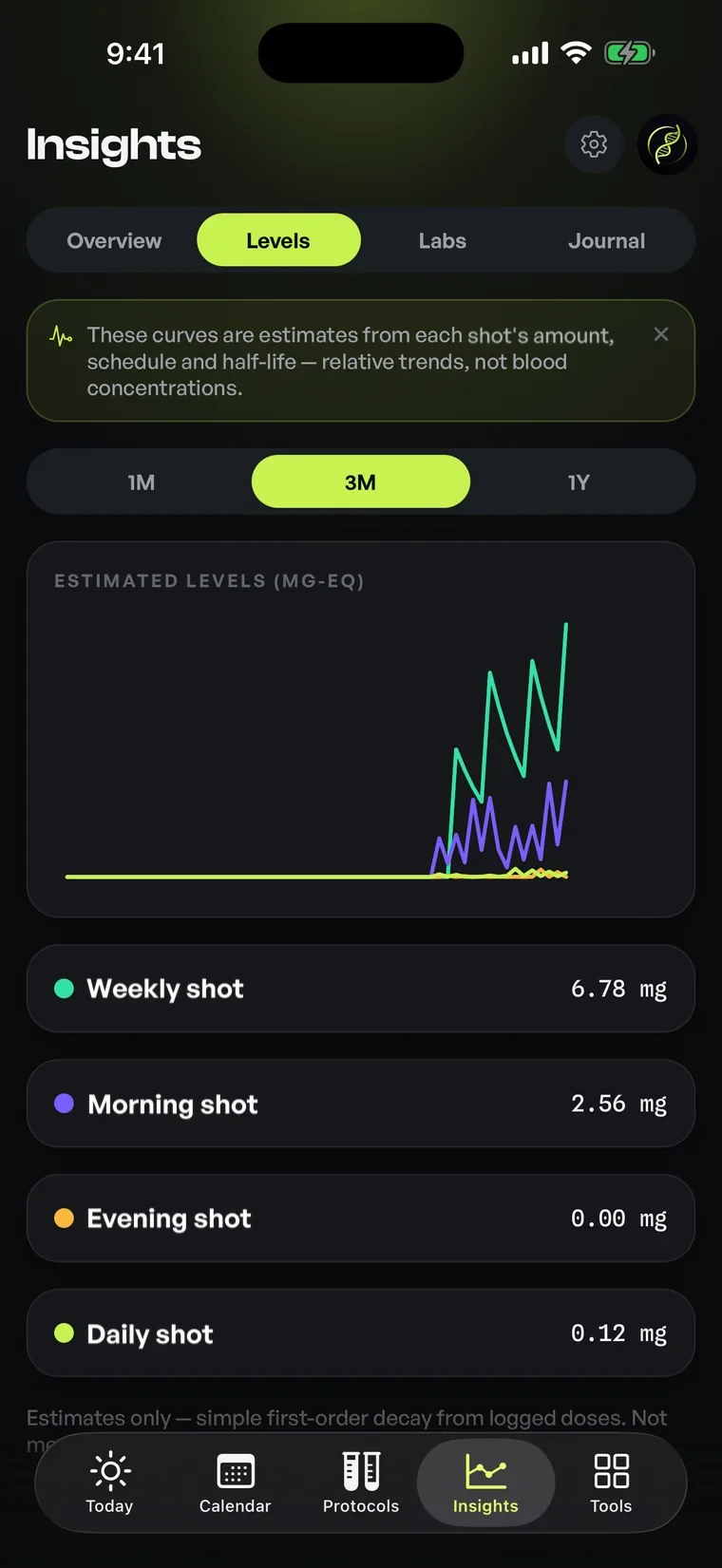
Lab results go in by hand, one reading at a time, and chart over time beside your log, check-ins and schedule changes. The app lays them out; it does not interpret them.
03Sites
Tap the site on the map when you log an entry. Optimized ages every site by how long it has been, keeps the whole rotation history, and shows which site has rested longest so you don't have to remember.
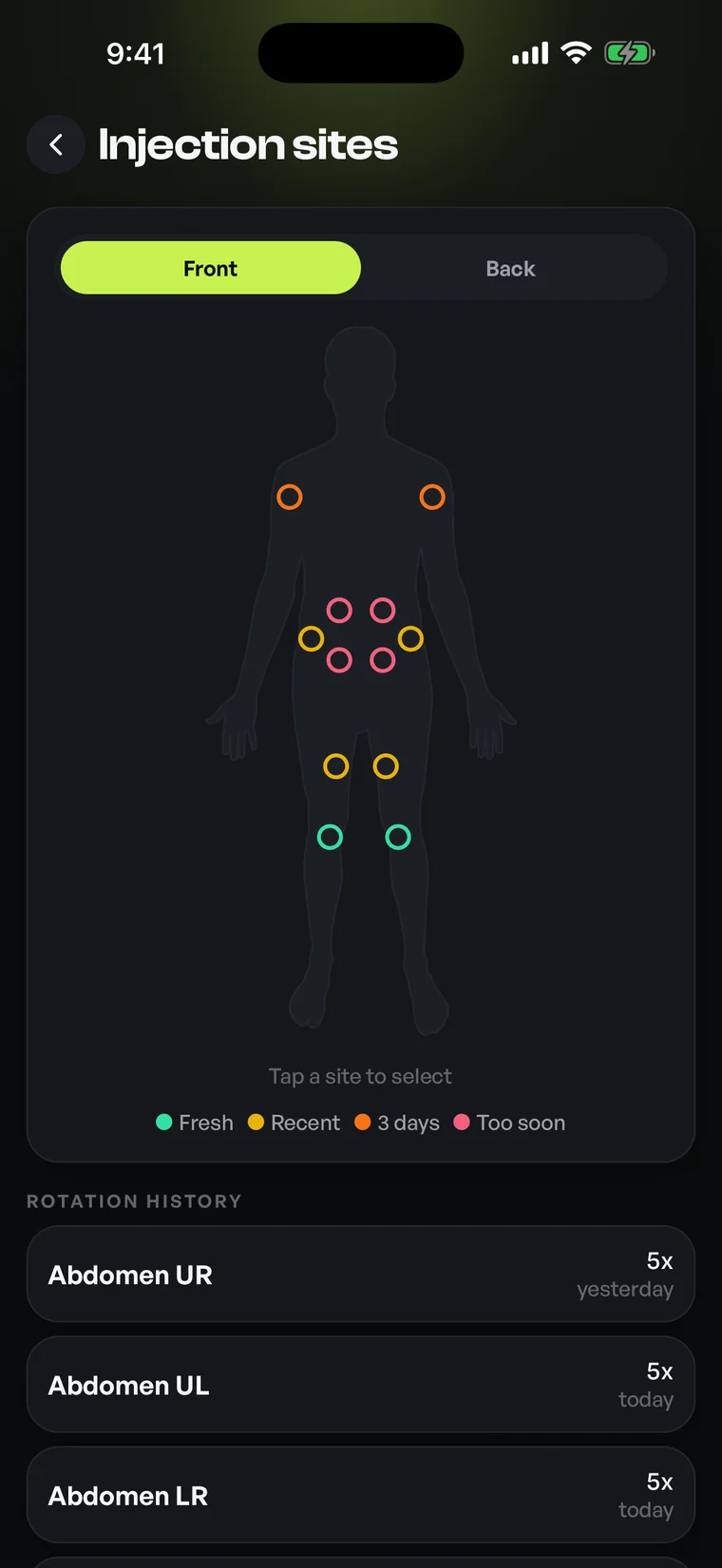
12sites, front
+12on the back
How a site is marked
State is carried by ring weight and fill, never by colour alone.
Rotation history
04Pricing
No paywalls in front of your data. Monthly and annual start with a 7-day free trial for new subscribers. Cancel anytime.
Everything to log up to 3 schedules.
The full app. 7-day free trial for new subscribers.
Recommended
Save 48% vs monthly. 7-day free trial for new subscribers.
Pay once, own it forever.

The whole record in one place, and no opinions at all about what you should be taking.


TrackLabsRotateReview