Features
Lab-result trends & timeline overlays
Chart your bloodwork over time with your log overlaid.
Lab-result tracking turns scattered PDFs into a single, readable trend. Optimized charts the values you record over time and overlays your log on the same timeline, so you can see your records in context, organized for your own recall and to share with your clinician.
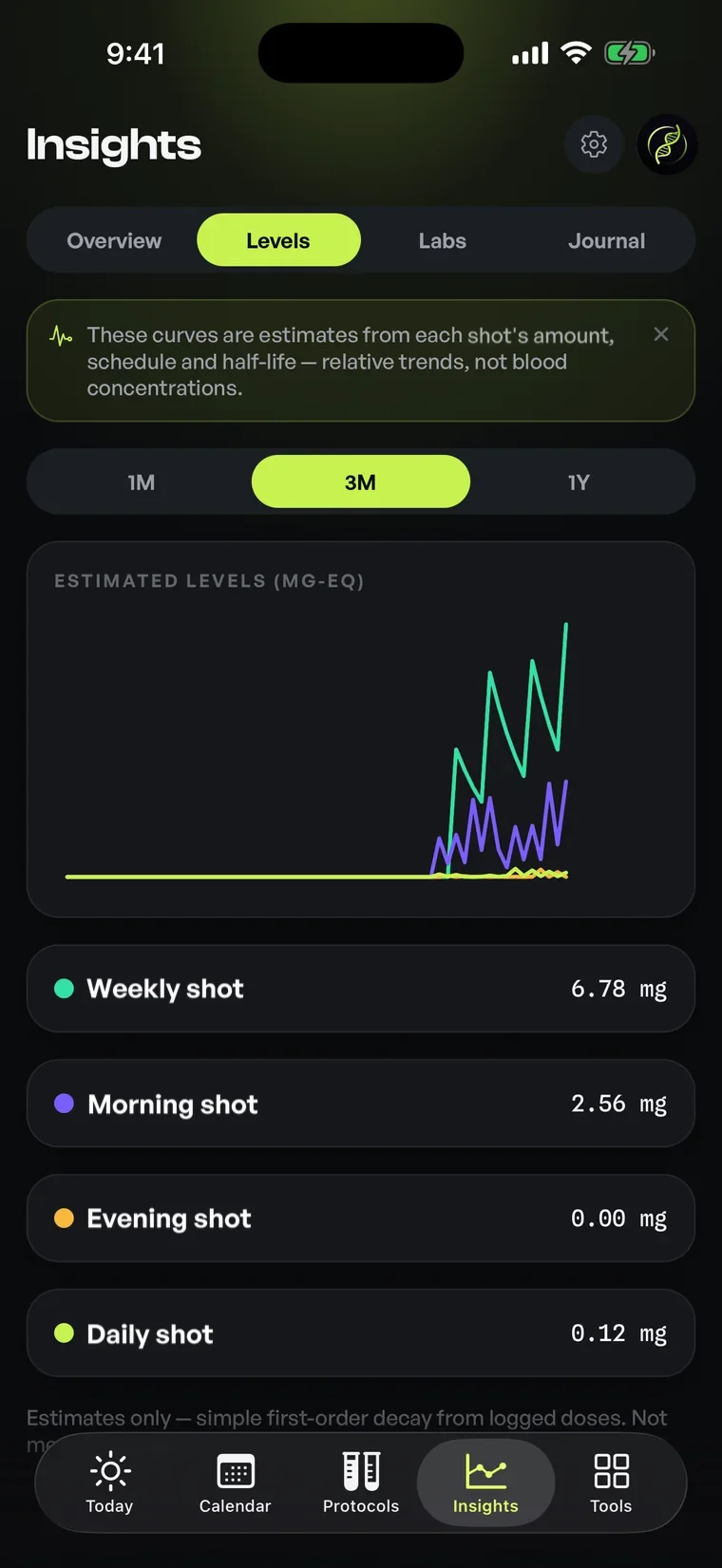
01Lab trends
Your numbers, finally in one timeline
Lab results arrive as one-off documents and are quickly forgotten. The value is in the trend, and the trend is invisible when each result lives in a separate PDF. Optimized lets you record the markers you care about and plots them over time, so a year of bloodwork becomes a line you can actually read.
Each marker gets its own chart, and you choose which ones to track. The history is yours to organize: a clean, chronological record you can scroll, zoom, and revisit instead of digging through email attachments every time you want to compare two dates.
Context with timeline overlays
A number on its own says little; a number next to what was happening at the time says more. Optimized overlays your logged entries and schedule changes onto the same timeline as your results, so you can see your records side by side rather than holding the chronology in your head.
This is presented strictly as organization and context. The app draws the timeline; it does not interpret it or imply causation. You bring the judgment; Optimized makes sure the relevant history is laid out clearly so nothing important is buried or out of order.
Reference ranges and readable charts
You can record the reference range that came with a result so each chart shows your value against the band it was reported in. That keeps a marker legible at a glance and saves you cross-referencing the original report every time you look.
The charts are built for clarity, not decoration: clean lines, mono-set figures, and tidy axes that stay readable on a phone. The aim is a record you'll actually return to: fast to scan, honest about the data, and easy to make sense of.
Built to share and to recall
A clear history is useful in two directions. For your own recall, it answers "how has this moved?" in seconds. For a conversation with a licensed professional, it's a tidy, organized summary you can bring along instead of a stack of loose documents.
Because results sit alongside the rest of your log, the trend lives in the same place as your schedule, inventory, and check-ins. Everything you track is organized together, so reviewing your history is one coherent picture rather than a hunt across apps.
02How it works
- 01Record a lab marker and its value, with the date it was taken.
- 02Add the reference range so the chart shows your value in context.
- 03Optimized plots each marker over time as a readable trend line.
- 04Your logged entries and schedule changes overlay onto the same timeline.
- 05Scroll, zoom, and review, or bring the summary to a professional.
03Who it's for
- Anyone who wants a year of bloodwork as a readable trend, not loose PDFs
- Anyone tracking relevant markers over time for their own recall
- People organizing results alongside their log history
- People preparing a tidy history to discuss with a licensed clinician
05Questions
Good to know
Every entry, logged.
Free on iOS and Android. Bring lab-result trends & timeline overlays and every other feature into one precise, organized app.

For informational and personal tracking purposes only. Not medical advice. Consult a licensed healthcare professional.