Features
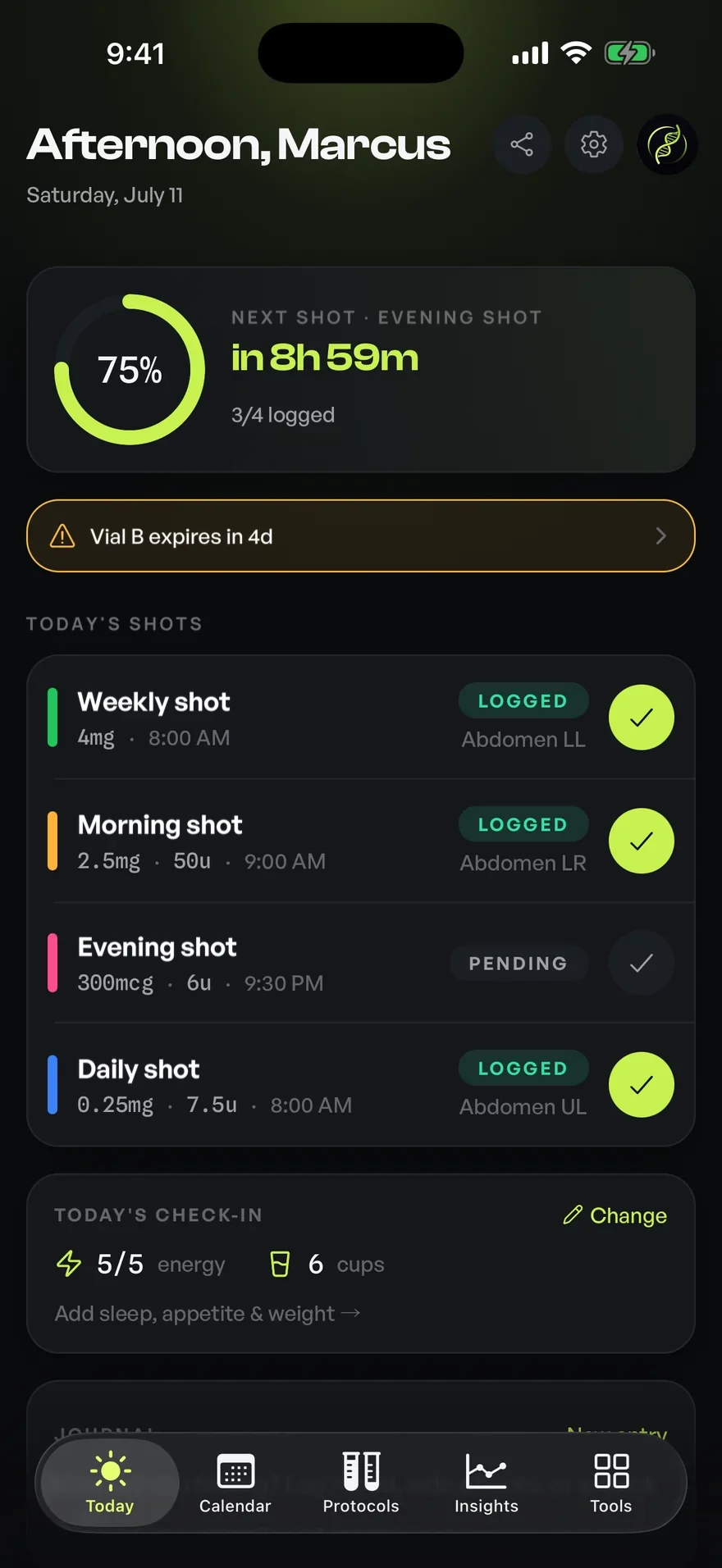
Daily check-ins
A quick daily log for the notes that turn into a pattern.
Daily check-ins give you a fast, low-friction way to jot how a day went and keep the small observations that add up over time. Optimized turns a few taps into an organized, searchable record you can scroll back through. Your own notes, kept tidy, never interpreted for you.
01Check-ins
Capture the day in a few taps
The hardest part of any log is keeping it up, and friction is the enemy. Daily check-ins are built to be quick: a short, structured prompt you can complete in seconds, so logging becomes a habit rather than a chore you abandon after a week.
You decide what a check-in captures. Note how you felt, jot an observation, add a quick rating or a free-text remark, whatever you'd otherwise try to remember. The point is to get it out of your head and into an organized record while it's still fresh.
Small notes become a visible pattern
A single day's note is easy to dismiss; a month of them is a pattern. By keeping check-ins in one place and in order, Optimized lets you scroll back and see your own history at a glance, the kind of continuity that's impossible to reconstruct from memory.
Because check-ins sit on the same timeline as the rest of your log, you can read them alongside your schedule and other records. That context is purely organizational: the app lays your notes out clearly, and any meaning you take from them is entirely your own.
Searchable, private, and yours
Your check-ins are searchable, so finding when you first noted something is a query rather than an archaeology project. The history is yours to keep, review, and use however you like. A personal record built for recall, not a feed to perform for.
Optimized treats these notes as exactly that: your observations, organized. The app never tells you what your notes mean or what to do about them. It keeps them tidy, timestamped, and easy to revisit so you can bring real continuity to your own routine.
A habit that reinforces the rest
Check-ins pair naturally with everything else you track. Completing the day's log can sit right next to your scheduled items, so reviewing and recording become a single, satisfying moment rather than two separate tasks across two apps.
Over time, this daily ritual is what makes the rest of your records richer. Schedules tell you what was due, inventory tells you what's on hand, and check-ins fill in the texture: the human notes that make your history worth keeping.
02How it works
- 01Open the day's check-in and complete a short, structured prompt.
- 02Add a rating, an observation, or a free-text note, whatever you want to keep.
- 03Each entry is timestamped and stored on your timeline in order.
- 04Search and scroll back to see your own notes as a continuous record.
- 05Review check-ins alongside your schedule and other logs for context.
03Who it's for
- Anyone who wants a low-friction daily log they'll actually keep up
- People who log on a schedule, where day-to-day notes add useful continuity
- Anyone who wants a consistent personal record beside their log
- Quantified-self users who like searchable notes alongside the rest of their data
04Works well with
05Questions
Good to know
Every entry, logged.
Free on iOS and Android. Bring daily check-ins and every other feature into one precise, organized app.


For informational and personal tracking purposes only. Not medical advice. Consult a licensed healthcare professional.